
Unlocking contact details and writing to a host
What the directory shows before you unlock a space, what appears afterwards, how the monthly allowance counts, and how to get from there to a conversation.
· 読了時間 2 分
このガイドはドイツ語と英語でご利用いただけます。現在は英語版を表示しています。
Before you unlock it, a space shows everything except what you would need to make contact. Unlocking reveals both: the exact address and the host's contact details. You do it on the space's own page, and it requires active operator access.
What you see beforehand
Publicly, a space is fully described but not findable. You get the title, description, photos, size, fittings, price and city. On the map there is a circle a few hundred metres across instead of a pin, and its centre is deliberately not the real location.
That is enough to decide whether a space is worth pursuing. It is not enough to go around the directory and approach the host directly, which is the point.
Unlocking
The space page has an Unlock location & contact panel with an Unlock location button. One click, no confirmation dialog.
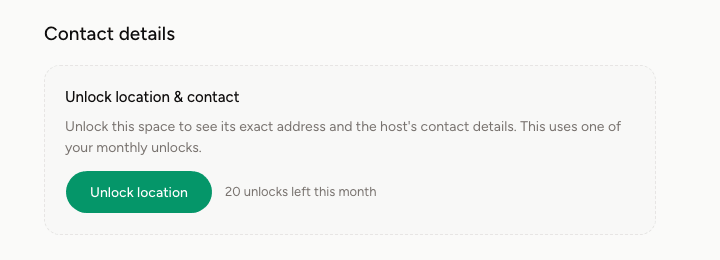
After that the full address is there, and the host's contact details appear as far as they provided any: name, email, phone, website. If they left those fields empty, you reach them through the messaging system.
An unlock is permanent. You can open the same space as often as you like afterwards without it counting again.
How the allowance counts
On the Starter plan you get a fixed number of unlocks per month. The button tells you how many you have left, and the Plan & access page shows what you have used this month.
Once the allowance is gone, the space reports Monthly limit reached. Spaces you already unlocked are unaffected and stay visible. The Pro plan removes the limit. What the plans cost is on the pricing page.
Everything you have unlocked is collected under Unlocks in the dashboard, with the date. If a host later withdraws a space, the entry stays with a No longer listed note.
Writing to the host
You can start the conversation from the space page. Your message lands in the host's inbox and as an email notification, and their reply reaches you the same way under Messages.
A first message gets further when it answers what the host would otherwise have to ask: what you want to install or use the space for, how much room you need, from when and for how long. A host who can tell from the first message what this is about is more likely to reply.
What happens next happens without us
Spacement sells access to the directory, not the space. Once you are talking, you negotiate directly with each other. The rental contract is concluded between you and the host, the rent does not run through us, and we take no commission on whatever you agree.
What you pay us for is the access. How that is billed is covered in Subscription, invoices and cancellation.
よくある質問
- Does looking at the same space again use up another unlock?
- No. A space is unlocked exactly once and stays open to you permanently. Coming back to it costs nothing.
- What happens when my monthly allowance runs out?
- You cannot unlock another space until the next billing month. Spaces you already unlocked stay visible. Pro removes the limit.
- Does an unlocked space stay visible if the host withdraws it?
- Your unlock stays in the list, marked as no longer listed. The space itself is gone from the directory.
- Do I need an unlock in order to write to someone?
- Writing needs active operator access. The unlock is what shows you the address and the contact details.
- Can I call instead of going through Spacement?
- If the host has left a phone number, yes. Some deliberately leave those fields empty and are then reachable through messaging only.