
Export your data
Spacement hands you everything stored against your account as a JSON file. The export runs immediately and needs no request to support.
· 읽는 시간 2분
이 가이드는 독일어와 영어로 제공됩니다. 지금은 영어 버전을 보고 있습니다.
You can download what Spacement holds about your account yourself, at any time. The export lives under Settings, Data and privacy and produces a JSON file. Nobody needs to be emailed for it.
Why the button exists
Articles 15 and 20 of the GDPR give you two rights: to find out what data is held about you, and to receive it in a common, machine-readable format. This export covers both.
We record it as a formal access request even though you trigger it yourself. That keeps the event traceable without anyone on the team having to touch your data.
Step by step
- Open Settings and go to Data and privacy.
- Under data export, click Export my data.
- Confirm it is you. With a password you type the password. Without one, Spacement emails you a code.
- The file downloads straight away.
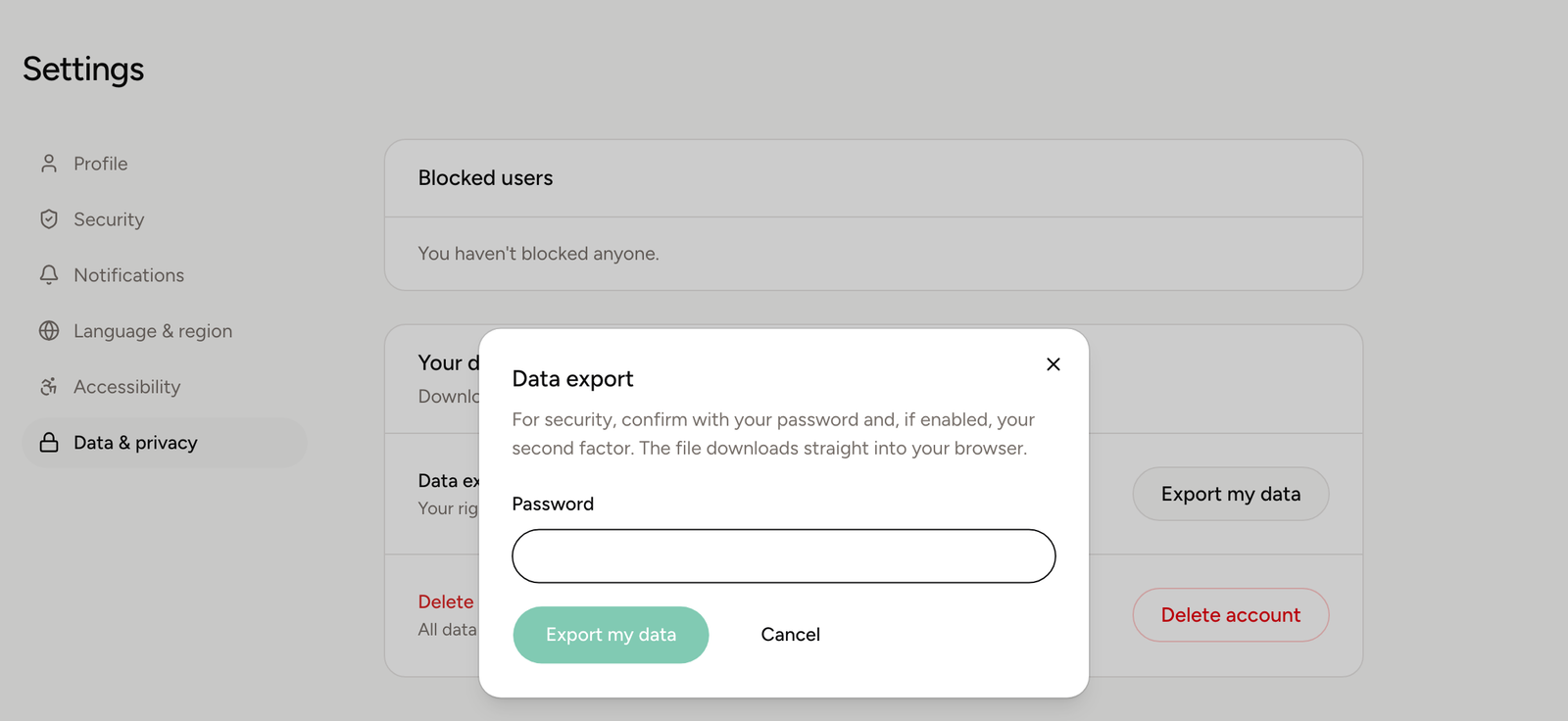
Why the export asks you to confirm
An export contains everything at once: your details, your listings, your messages. Somebody who sits down at an unattended computer should not be able to walk off with that in a single click.
So the open session is not enough on its own. Spacement also asks for something only you have: your password, your second factor, or a freshly emailed code.
What is in the file
The JSON file contains the data belonging to your account. That includes your profile, your listings with their details, your messages and the state of your access. Payment details such as card numbers are not in there, because Spacement does not store them. They sit with our payment provider.
If you plan to leave
The export is also the right first step before closing your account. Download the file, read through it without hurry, and only then delete. After deletion this route is closed.
The guide to deleting your account covers what happens next.
자주 묻는 질문
- Do I need a password to export?
- No. If you signed up through Google or Apple and never set a password, Spacement emails you a six-digit code instead.
- How long does the export take?
- It runs immediately. The file is built when you click and downloads straight to your browser. There is no queue and no waiting period.
- What format do I get?
- A JSON file named spacement-export plus the date. JSON opens in any text editor and can be read by spreadsheet and analysis tools.
- How often can I export?
- As often as you like. There is a limit to stop automated bulk requests, and normal use never runs into it.