The saved list
How the heart keeps a space for later, how the saved list differs from a search agent, and what happens when a listing disappears.
· 2 min lesetid
Denne veiledningen finnes på tysk og engelsk. Du leser den engelske versjonen.
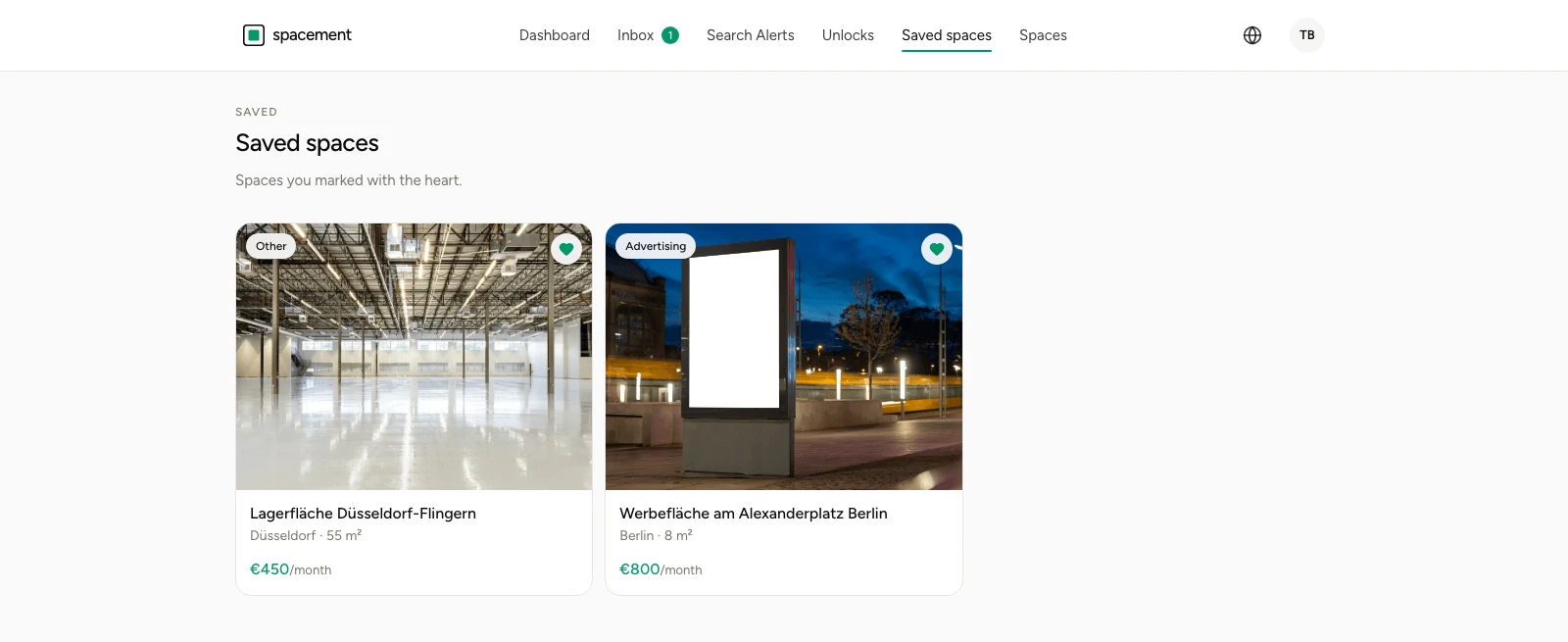
The heart on a space puts it on your saved list. You find it again under Saved spaces, without rebuilding the search that got you there.
Saving
The heart sits in the top right corner of every result card and on a space's own page too. One click marks it, another takes it off. The search stays where it was.
Saving is free and uses no unlock. It only needs an account, because the list belongs to the account rather than the browser. On your phone you see the same list.
Saved list or search agent
The two solve different problems, and it pays to keep them apart.
The saved list looks backwards: it holds what you have already found and do not want to lose. It does nothing on its own.
A search agent looks forwards: it describes what you are after, keeps running, and speaks up when something new matches. Creating a search agent covers it.
In practice you want both. The agent brings candidates in; the heart sorts out the ones worth thinking about.
When a space disappears
Hosts can pause or delete their listing. When that happens it drops off your saved list, because the directory no longer carries it.
That is different from a space you have already unlocked. Those stay under Unlocks, with the date and a note that they are no longer listed. So you do not lose what you paid for because somebody withdrew a listing.
A suggested order of operations
Saving costs nothing, unlocking does. So save broadly and unlock narrowly: collect a handful of candidates first, compare what the description, photos, size and price tell you, and only then unlock the two or three you actually intend to call.
Vanlige spørsmål
- Does saving use up an unlock?
- No. Saving is free and independent of your allowance. Only revealing the address and contact details counts.
- Can the host see that I saved their space?
- No. The saved list is private.
- Is the list the same on every device?
- Yes. It belongs to the account rather than the browser, so the app shows the same list.
- What happens if a saved space disappears?
- It drops off the list, because it is no longer in the directory. An unlock you already made is unaffected.
- How many spaces can I save?
- As many as you like. There is no cap.