
Subscription, invoices and cancellation
How to switch plans, where invoices and payment methods live, what happens when a payment fails, and how cancelling works.
· Время чтения: 2 мин
Это руководство доступно на немецком и английском. Вы читаете английскую версию.
Everything to do with paying sits in two places. You switch plans under Plan & access. Invoices, payment methods, tax details and cancellation live in the customer portal, which you open under Settings, Plan & billing.
This applies to operators only. Hosts publish for free and never leave a payment method with Spacement.
The two plans
There is Starter and Pro. Both give you full access to the directory, direct messages to hosts, and search agents with notifications.
The difference is unlocks: Starter comes with a monthly allowance, Pro removes the limit. Plan & access shows what you have used in the current month. Current prices are on the pricing page.
Switching plans
Pick the other plan on Plan & access and the switch takes effect straight away. You do not pay twice: the difference is prorated for the current billing period, either charged or credited to you.
Moving up a plan can take a moment while the payment is confirmed. The page says so while that is happening, and the new plan becomes active once confirmation arrives.
Invoices and payment methods
Both live in the customer portal. The way in is Settings, Plan & billing and the Open in Customer Portal button.
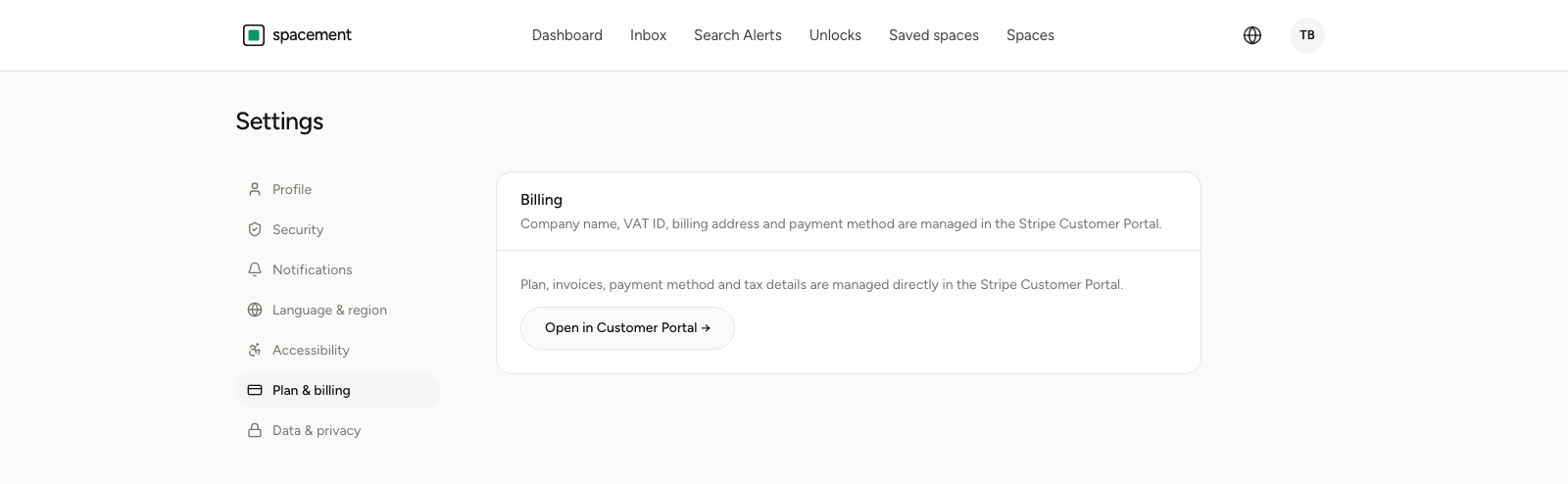
There you will find:
- every invoice so far, ready to download,
- the payment method on file, which you also replace there,
- your billing address and tax details,
- cancellation.
Invoices are issued with VAT shown. If you enter a VAT identification number from another EU country and it verifies, the reverse charge procedure applies and the invoice reflects that.
When a payment fails
If a charge does not go through, your access moves into a past-due state and the dashboard shows a notice with the way into the customer portal. Access stays up at first, so that an expired card does not lock you out immediately.
Update the payment method in the portal when that happens. You cannot switch plans while a payment is outstanding.
Cancelling
You cancel in the customer portal. It takes effect at the end of the period you have paid for, so nothing you have already paid for is cut short.
After that, access ends. The directory goes back to showing city and approximate location rather than exact addresses, and that includes spaces you had unlocked. If there are contacts you want to keep, save them before the period runs out.
Your account itself stays. Deleting it is a separate step, and Deleting your account covers how that works.
Subscribing through the app
If you subscribed through the Spacement app on the App Store, Apple handles the billing. You change plans and cancel in your device's subscription settings rather than here. The Plan & access page tells you when that applies to you.
Частые вопросы
- Where do I find my invoices?
- In the customer portal, which you open under Settings, Plan & billing. Every invoice is there to download, alongside your payment method and tax details.
- Do I pay twice when I switch plans?
- No. The difference is prorated for the current billing period, either charged or credited.
- Do invoices show VAT?
- Yes. If you have a verified VAT identification number from another EU country, the reverse charge procedure applies instead and the invoice says so.
- What happens to my unlocks after I cancel?
- Access runs to the end of the period you have paid for. After that the directory shows only city and approximate location again, including for spaces you had unlocked.
- I subscribed through the app. Why can I not change anything here?
- Subscriptions bought through the App Store are managed there. You change or cancel them in your device's subscription settings.