
Managing your profile and email addresses
What the profile holds, how to change your primary email address, what the backup address is for, and how to end sessions you do not recognise.
· مدة القراءة 2 دقيقة
هذا الدليل متاح بالألمانية والإنجليزية. أنت تقرأ النسخة الإنجليزية.
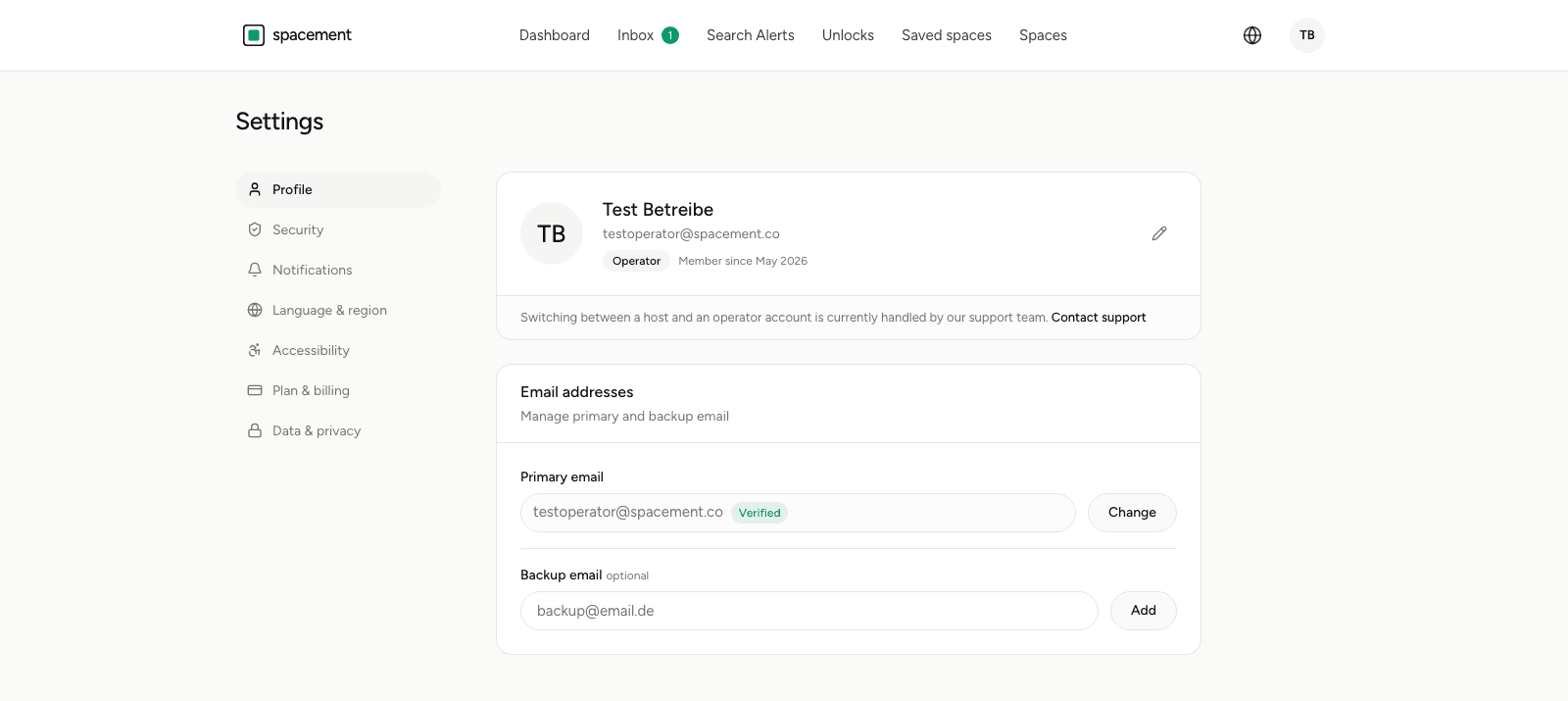
Your profile and email addresses live on the front page of Settings. The account itself at the top, the addresses below it.
What the profile holds
Name, email address, your role as a tag, and how long the account has existed. The pencil icon edits the name and the profile picture.
The role cannot be changed here. A note points to support, and Switching account type explains why: hosts and operators carry different things, and an automatic switch would have to unwind both cleanly.
Changing the primary email address
The primary address is the one you sign in with and the one everything is sent to. Changing it takes two steps.
- Click Change on the primary address.
- Enter the new address.
- Open the confirmation link we send to the new address.
Until you open that link, the old address remains valid. That is deliberate: a typo would otherwise lock you out of your own account. While confirmation is pending, the new address shows as such, and you can cancel the change or ask for the link again.
The backup address
Below it sits a second, optional field. The backup address is not a second mailbox for notifications but a way back: if you lose access to your primary mailbox, it is the anchor your account can be recovered through.
So it makes sense to pick an address with a different provider than the primary one. Two addresses in the same mailbox protect against a typo, but not against losing access.
The backup address cannot be promoted to primary. To switch, take the Change route.
Active sessions
Further down, under Security, you can see which devices your account is currently signed in on. The session you are using is marked as such; the rest can be signed out individually.
That is the thing to reach for after changing computers, after signing in on somebody else's machine, and any time an entry appears that you cannot account for. If that last one applies, change your password afterwards and switch on the second factor if you have not already. Setting up two-factor authentication covers the way there.
الأسئلة الشائعة
- What is the backup email for?
- It is the way back into your account if you lose access to your primary mailbox. It cannot itself become the primary address.
- How does changing the primary address work?
- You enter the new address and get a confirmation link sent there. The switch only happens when you open it. Until then the old address stands.
- Can I change my own role?
- No. Switching between a host and an operator account runs through support, because different things hang off each role.
- What does Active sessions show?
- The devices your account is signed in on. You can sign individual ones out from there, after changing computers for instance.
- Can other users see my email address?
- Only if you put it in the contact details of one of your spaces, and even then only after somebody unlocks it. It never comes from your profile.